012 — Account Management Portal: Pricing
Pricing determines two things at once: what a customer pays, and what a customer can see. A product with no price rule on a customer's price list is invisible to them.
flowchart LR
    CC["Customer Segment<br/>e.g. Gold"] -->|"default"| PL["Price List"]
    CL["Customer company"] -->|"assigned to"| CC
    CL -->|"or set directly"| PL
    PL --> PI["Price Rules<br/>one per product or group"]
PI --> WHAT["What the customer<br/>sees and pays"]Pricelists
Screen name: Pricelists Business purpose: Maintain the sets of prices offered to different customer segments. Who uses it: Pricing Managers, Account Managers, Business Administrators. Navigation path: Sidebar → Products management → Pricelists.
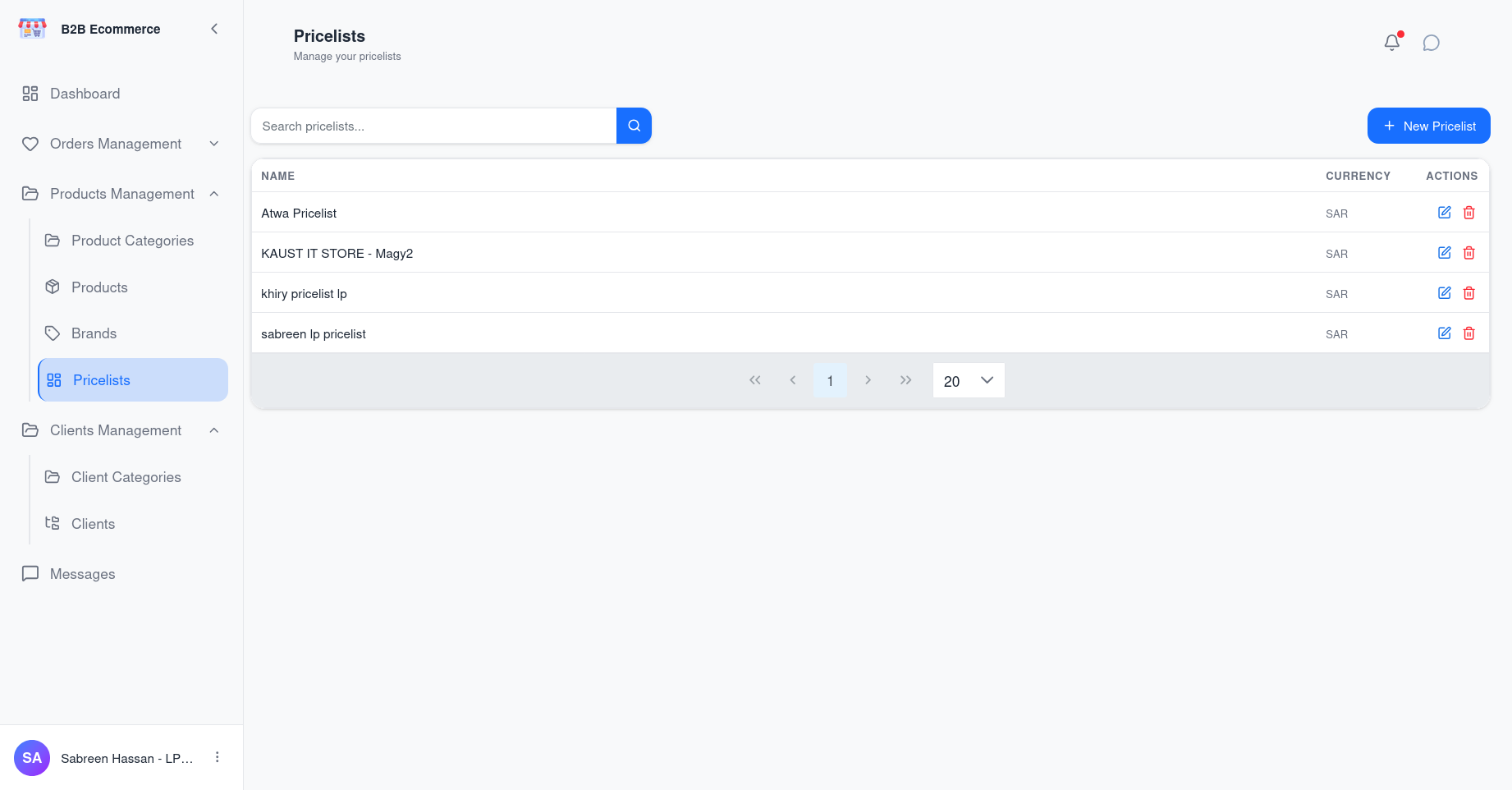
Main information displayed
| Column | Meaning |
|---|---|
| Name | How the price list is identified, for example Gold Tier 2026 |
| Currency | The currency its prices are expressed in |
Available actions
| Action | Result |
|---|---|
| New Pricelist | Creates a price list |
| Edit | Renames it or changes its currency |
| Delete | Removes it |
| View details | Opens it to manage its price rules |
| Search | Finds by name |
Business rules
- A price list in use by customers should not be deleted — check which customer segments and customers reference it first.
- Changing the currency affects how every price on the list is interpreted. Treat it as a structural change, not an edit.
Price Rules
Screen name: Pricelist Details Business purpose: Set the actual prices within a price list. Who uses it: Pricing Managers, Business Administrators. Navigation path: Pricelists → View details on a price list.
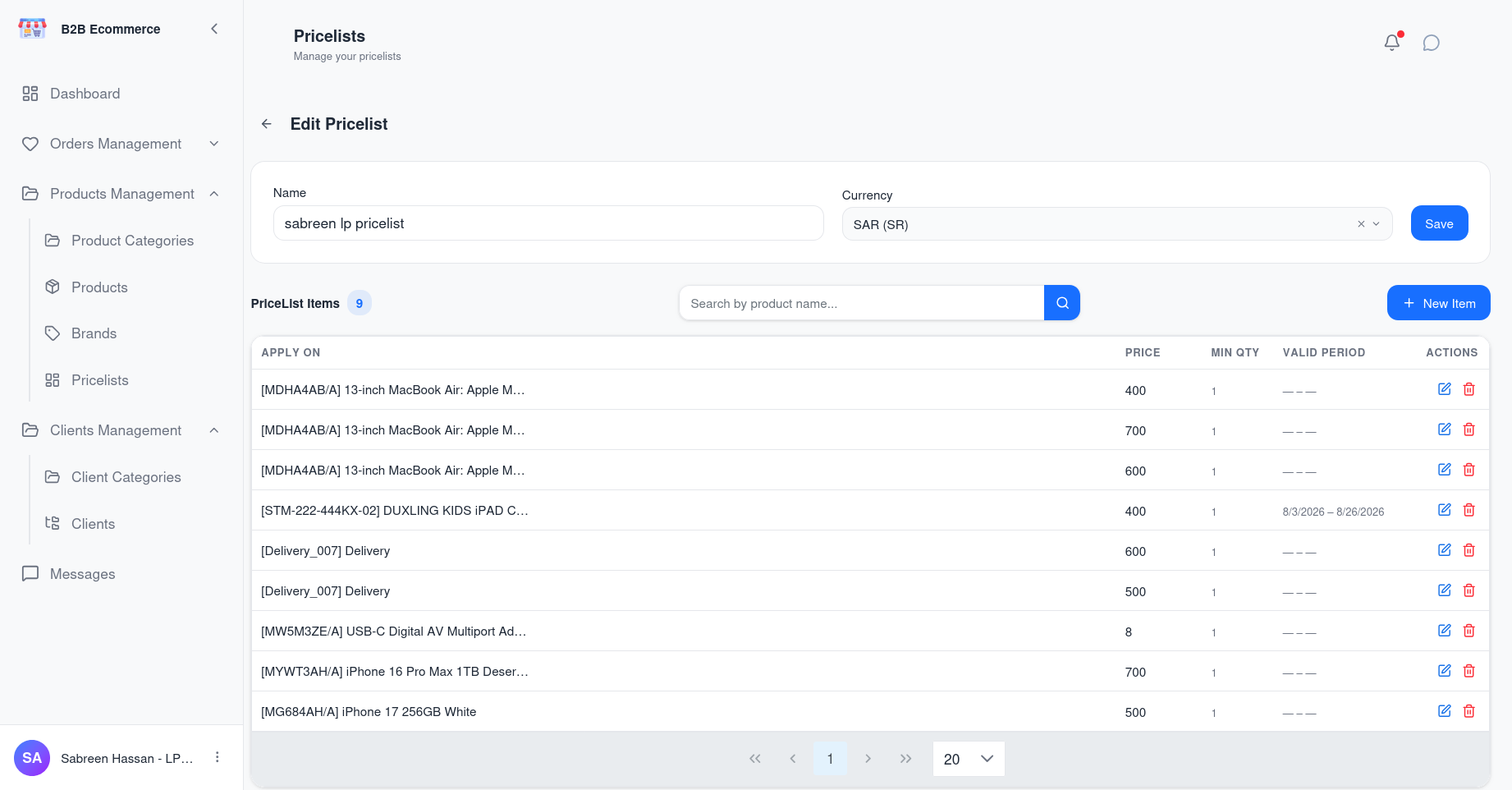
Main information displayed
| Column | Meaning |
|---|---|
| Applies To | What the rule covers — a single product, a specific product variant, or a broader group |
| Minimum Quantity | The minimum quantity before the rule applies, allowing volume pricing |
| Price | The price the customer pays |
| Validity Period | The dates between which the rule applies, for time-limited pricing |
Available actions
| Action | Result |
|---|---|
| Add rule | Creates a price rule |
| Edit | Changes an existing rule |
| Delete | Removes a rule |
| Search | Finds a rule by what it applies to |
| Paging | Moves through long lists |
How rules combine
| Feature | Business use |
|---|---|
| Minimum Quantity | Volume pricing — one rule at qty 1, a better price at qty 100 |
| Validity Period | Seasonal or promotional pricing that starts and stops on its own |
| Applies To | Price a whole group in one rule, then override individual products |
Business rules
- A product with no rule on a customer's price list does not appear in their catalogue. This is the single most common reason a customer cannot find a product.
- Rules with a validity period stop applying automatically once the end date passes.
- Changes take effect on what customers see immediately. Existing quotations already sent are not repriced.
How a Customer's Price Is Decided
flowchart TB
    A["Customer opens<br/>the catalogue"] --> B["System finds their<br/>price list"]
    B --> C{"Set directly on<br/>the customer?"}
    C -->|Yes| D["Use that price list"]
    C -->|No| E["Use the customer<br/>segment's default"]
    D --> F["Find matching price rules"]
    E --> F
    F --> G{"Rule found?"}
    G -->|Yes| H["Show the product<br/>at that price"]
    G -->|No| I["Product not shown<br/>to this customer"]
Common Pricing Tasks
Give a whole segment new prices
- Sidebar → Products management → Pricelists
- Open the price list used by that customer segment
- Add or edit the rules
Every customer in the segment is updated at once.
Give one customer a special price
Two options, with different consequences:
| Option | Effect | When to use |
|---|---|---|
| Create a dedicated price list and assign it to that customer | Isolated — affects nobody else | Genuinely bespoke agreements |
| Add a rule to their existing shared price list | Affects every customer on that list | Never, for a single-customer discount |
The second is the classic mistake. Check who else uses a price list before editing it.
Run a time-limited promotion
Add rules with a Validity Period covering the campaign dates. The prices apply and expire on their own — no need to remember to remove them.
Make a new product visible
Add a price rule for it on each price list whose customers should see it. Until you do, the product exists but no customer can find it.
Tips
- Name price lists so their purpose is obvious, including the year or contract where it helps: Gold Tier 2026 is better than List 3.
- Check the Customers count on the customer segment before editing a price list — it tells you how many customers a change will reach.
- When a customer says a product is missing, check pricing first. It is more often a missing price rule than a missing product.